What it does
Everything below is in the current release, and all of it is free to self-host.
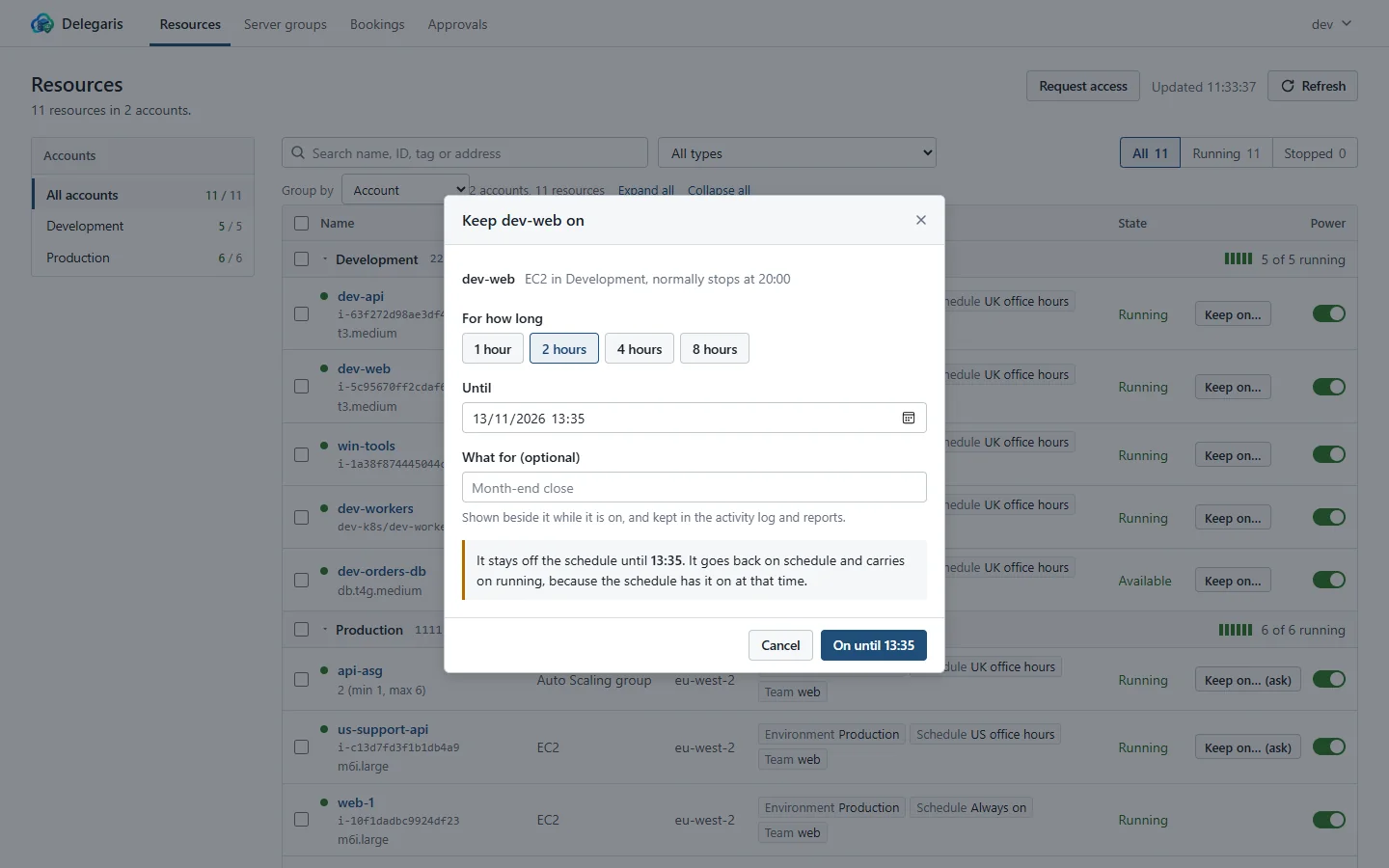
Keep a machine on past its schedule
Someone who needs a server after hours picks a time. Delegaris takes the schedule tag off so the scheduler leaves the machine alone, remembers the tag's value, and at the time set stops the machine and puts the tag back, whether or not anyone stopped it by hand in the meantime.
- Turn a stopped machine on until a time, too
- Several periods per schedule, each in its own time zone (UK office hours, US office hours)
- Works with one schedule tag or separate start and stop tags (AutoStart, AutoStop)
- Book ahead: once, or every week ("Tuesdays and Thursdays, 18:00 to 22:00")
- It knows whether the schedule would have the machine on anyway, so it does not stop something that should be running
- A reminder in Slack fifteen minutes before, with buttons to add an hour or two
- Roughly what it will cost, and what each schedule saves a week, from AWS list prices
- One keep-on per machine: anyone with the right can extend it, only the people who set it can cut it short
Approvals for the delicate ones
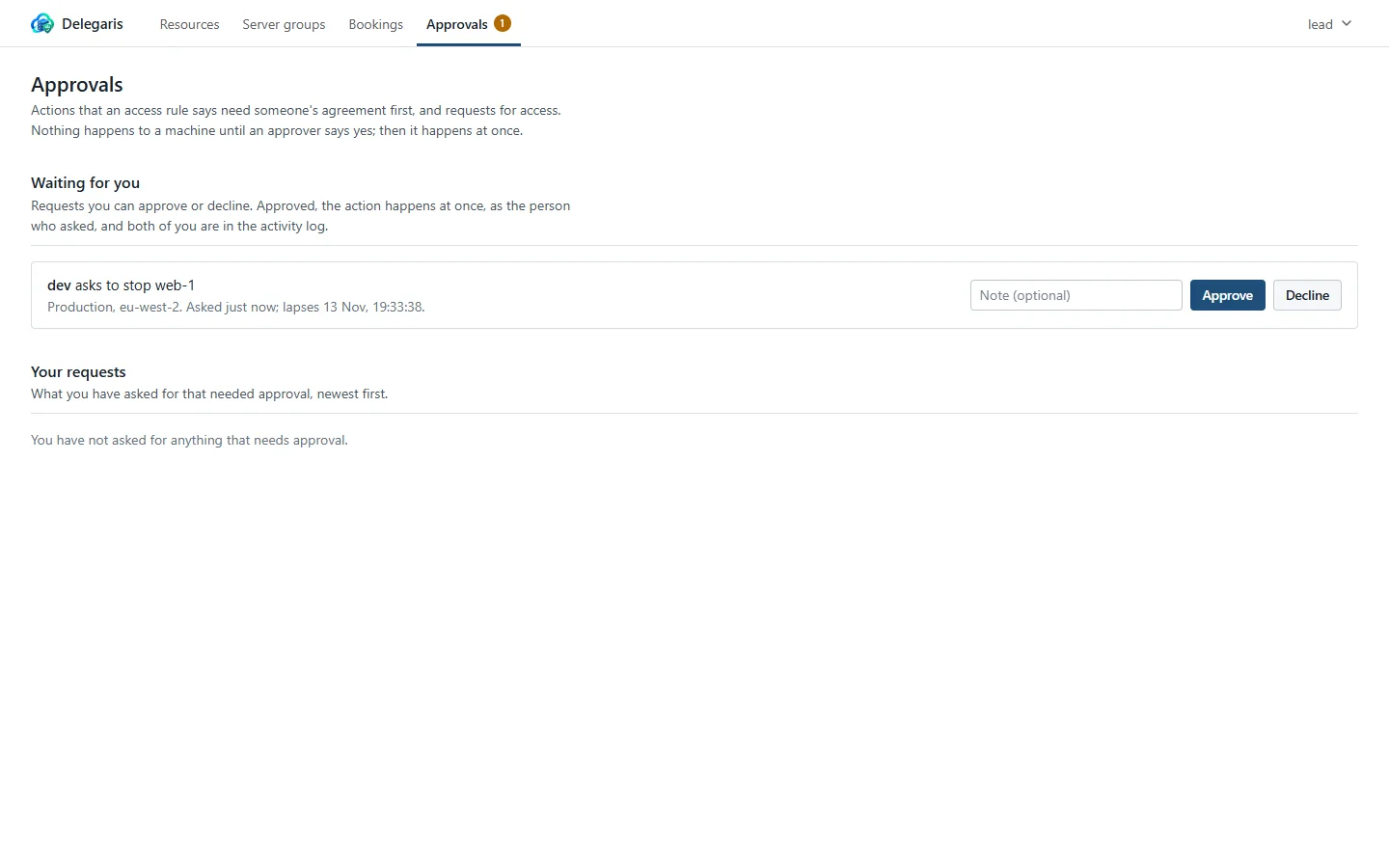
An access rule can say its actions need approval first. Pressing Stop on a production box then sends a request instead of stopping it; the approvers are told, one of them decides under Approvals, and the action runs at once as the person who asked, with their rights as they are at that moment.
- Approvers are groups or people named on the rule; nobody named means administrators
- Nobody can approve their own request
- Approve or decline from Slack, with buttons on the message
- Requests lapse after a set time, or when the time a keep-on asked for has passed
- The request, the decision and the action are all in the audit log
Access rules written against your directory
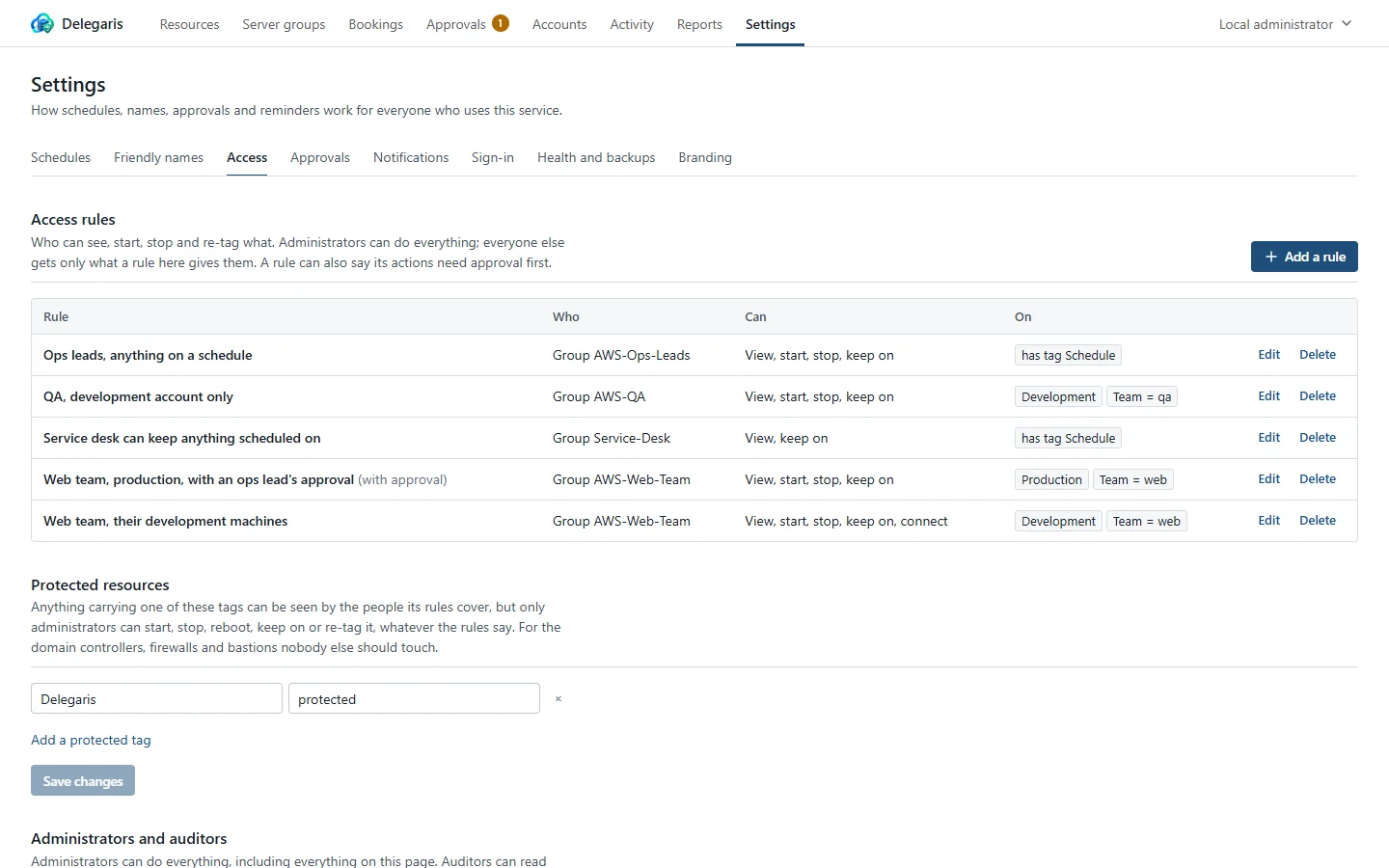
A rule says who (a group, a person, or everyone who signs in), what they may do (start, stop, reboot, keep on, manage named tags, connect with Remote Desktop) and on which machines (by account, region, type, tag or name), with exceptions. Everything a rule covers is visible to those people; nothing else is.
- Preview which machines a rule matches before you save it
- Access for a while: rules with an end date, and requests for access that become one
- Leave out accounts, tags or names: "everything the web team owns except production"
- Protected machines (domain controllers, firewalls) only administrators can act on, marked by a tag
- Administrators and read-only auditors, given to groups in the UI
- Developers never need the right to edit tags: the service handles the schedule tag itself
Server groups
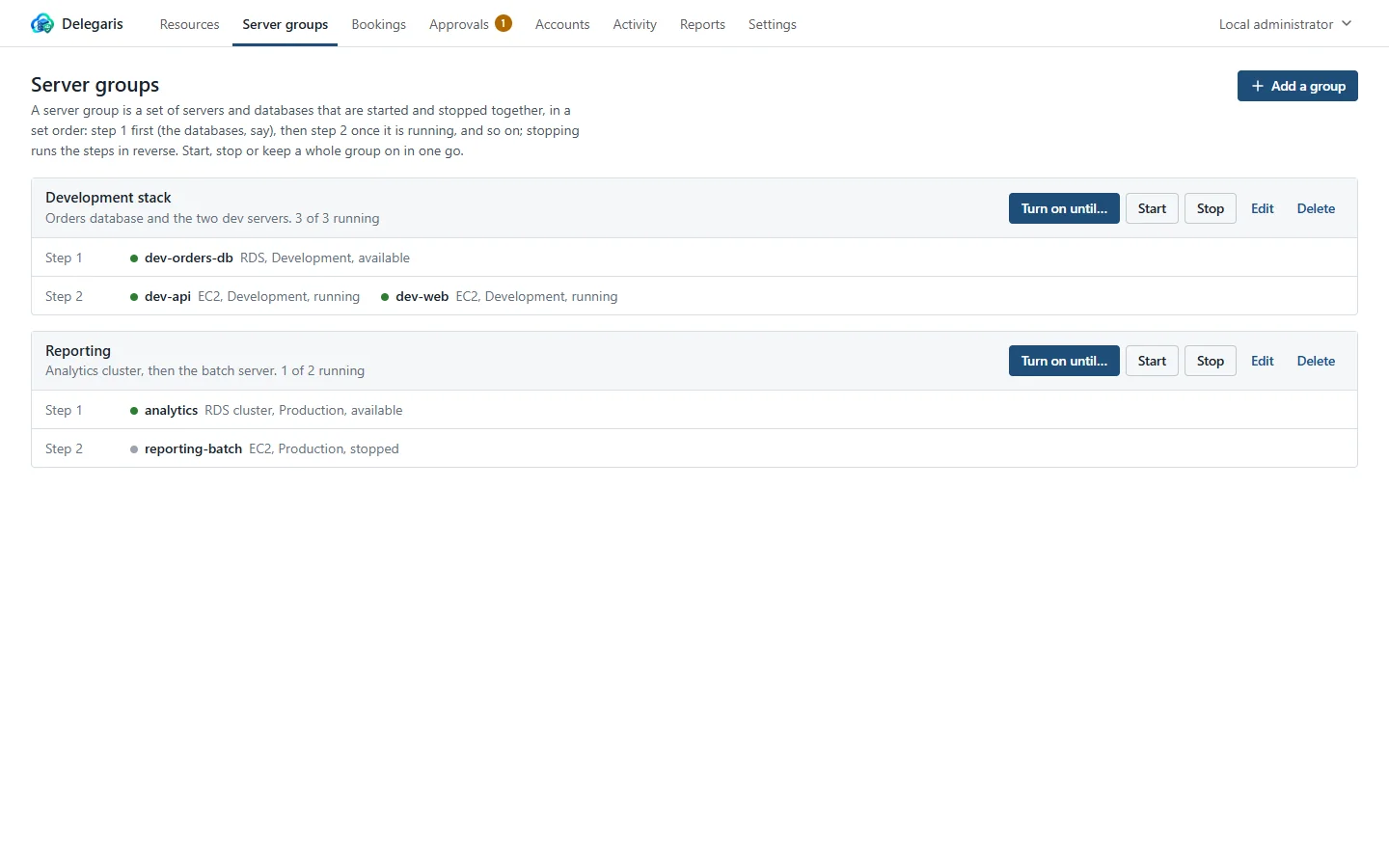
A database and the servers that need it start in order and stop in reverse, as one action. Each step waits for the one before to be running. Keep a whole group on for the evening in one go, and add servers to a group straight from the resource list.
Reports and the audit log
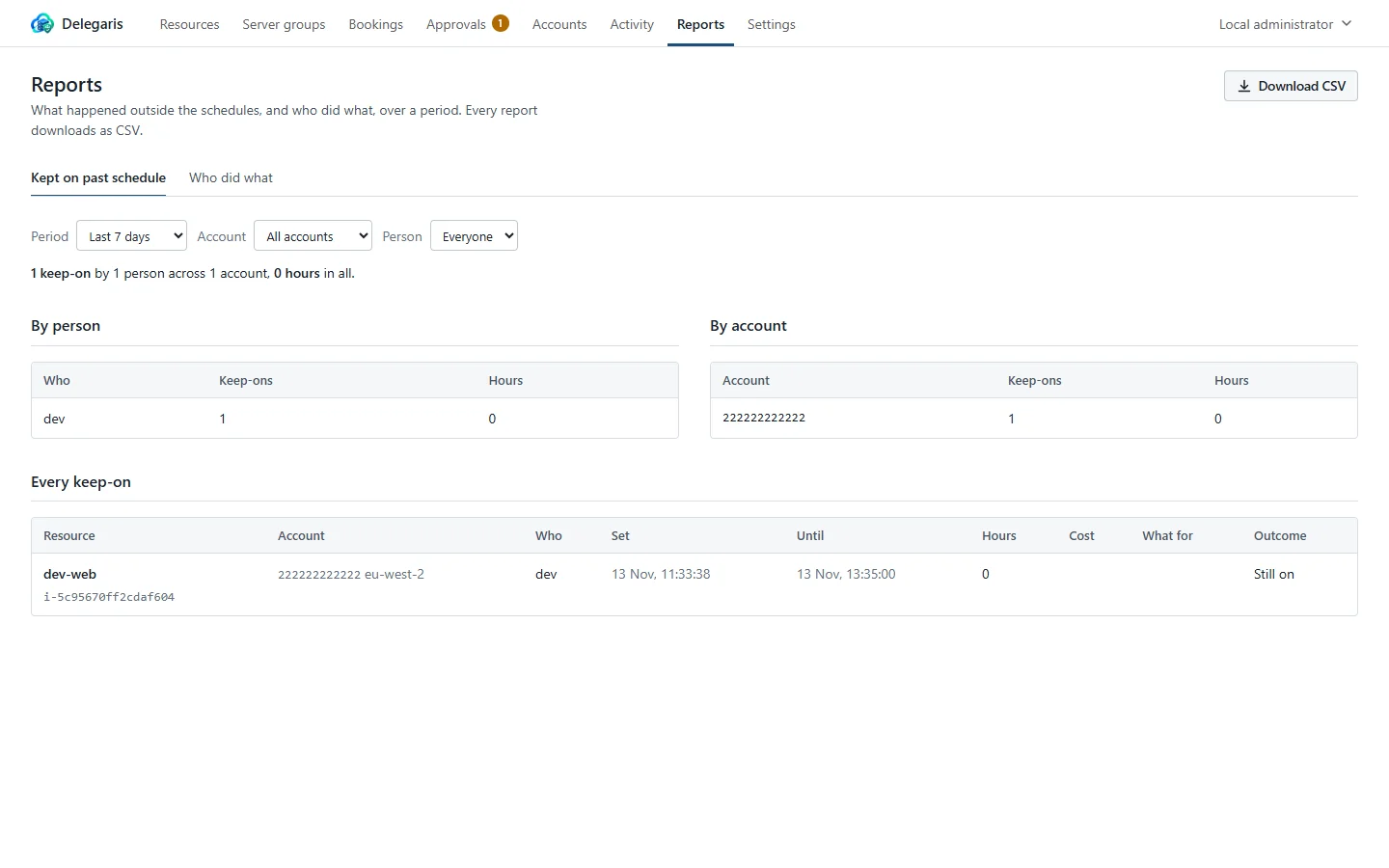
Who kept what on, for how long and why, with totals per person and per account; who did what over any period; and an activity log of every sign-in, action, approval and settings change with who, from where, and how it went. All of it downloads as CSV. A weekly summary can go to Slack or Teams.
Any number of accounts
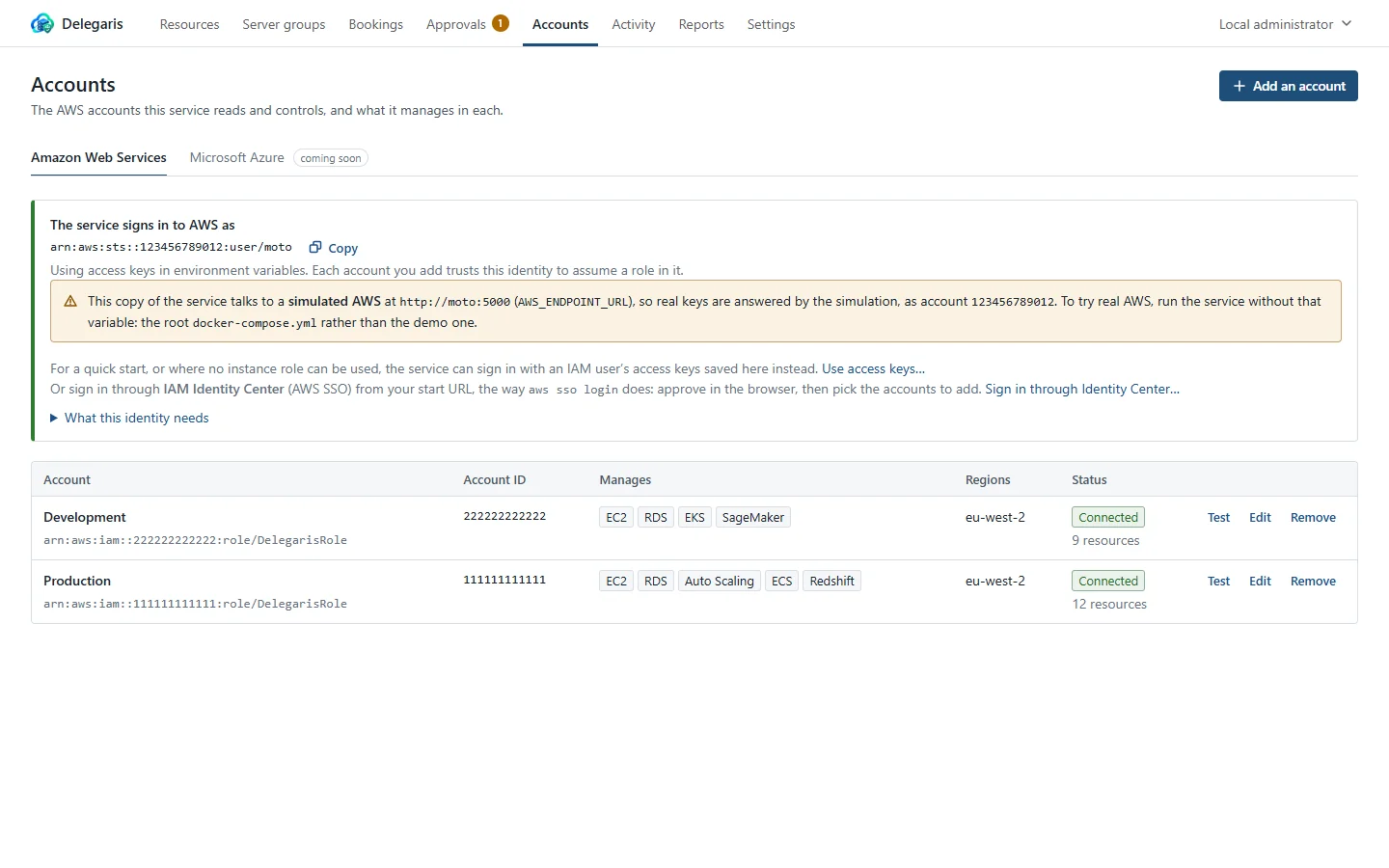
Each account is reached through a narrow IAM role the UI helps you create, through the account's own access keys, or through an IAM Identity Center permission set. Pick the services and regions per account, and test the connection before saving.
- EC2, RDS, Aurora, DocumentDB and Neptune, Auto Scaling groups, ECS services, EKS node groups, Redshift, SageMaker notebooks and Lightsail
- Scaled services stop at zero and start again at the size they had
- The service's own identity: the instance's IAM role, access keys pasted in the UI, or an Identity Center sign-in from your start URL
- Actions appear in each account's CloudTrail as
delegaris-<username> - Next on the roadmap: Microsoft Azure, then VMware vSphere, Proxmox VE and Hyper-V
And the rest
- Reads schedules from AWS Instance Scheduler and Systems Manager Quick Setup, so friendly names and hours fill themselves in
- Friendly names for tag values: people see "Office hours", the scheduler still sees
8-8 - A resource list that folds accounts up, groups by tag or region, and has an account rail: fifty accounts stay readable
- Active Directory over LDAPS with nested groups, Microsoft Entra ID with group claims, or both at once; two-step sign-in with an authenticator app
- Slack to the person; Microsoft Teams and a signed webhook as a stream of everything
- Your organisation's name, logo, browser icon and colours
- Nightly backups of the database, optionally to S3
- Two or more copies sharing a PostgreSQL database, taking turns at the timed work
- Every setting with a sensible default; the ones people change live in the UI
- A plain, fast web app: no agents, no browser plug-ins, works on a phone